レッツ・ロール! 物理学と制御
作ったもの
・マウスカーソルを移動させると、ボールがその方向へ転がります。
クリックすると、別ウィンドウが開きます。
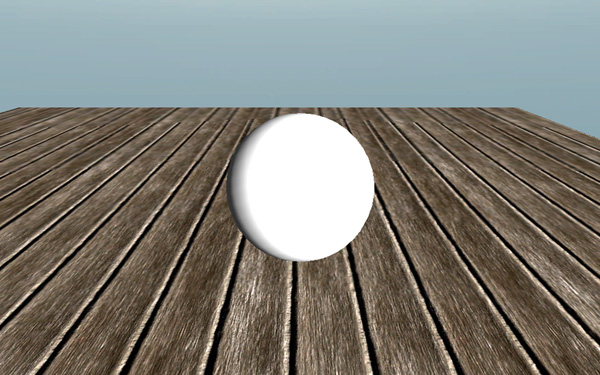
http://shakeweb.sakura.ne.jp/demo/LU4_chap6/
・照明(Directional Light)を配置。
・床に ProceduralMaterial を適用。
・ボールに Rigidbody を適用。
・床とボールに PhysicMaterials を適用。
————————————————————————————————
スクリプトでボールの動きを制御
1 2 3 4 5 6 7 8 9 10 11 12 13 14 15 16 17 18 19 20 21 22 23 24 25 26 27 28 29 30 31 32 33 34 35 36 37 38 39 40 41 42 43 |
#pragma strict var mousepowerx:float = 1.0; var mousepowery:float = 1.0; var maxVelocitySquared:float = 400.0; private var forcex:float = 0.0; private var forcey:float = 0.0; private var isRolling:boolean = false; private var floorTag:String = "Floor"; function Update () { forcex = mousepowerx * Input.GetAxis("Mouse X")/Time.deltaTime; forcey = mousepowery * Input.GetAxis("Mouse Y")/Time.deltaTime; } function FixedUpdate () { if (isRolling && rigidbody.velocity.sqrMagnitude < maxVelocitySquared) { rigidbody.AddForce(forcex,0,forcey); } } function OnCollisionEnter(collider:Collision) { if(collider.gameObject.tag == floorTag) { isRolling = true; } } function OnCollisionStay(collider:Collision) { if(collider.gameObject.tag == floorTag){ isRolling = true; } } function OnCollisionExit(collider:Collision) { if(collider.gameObject.tag == floorTag){ isRolling = false; } } |
・FixedUpdate を使用して、一定の間隔で、Update より頻度の多い更新を行う。
TimeManager(Edit | Project Settings | Time)で更新頻度を指定できる。
・変数 rigidbody(= gameObject.rigidbody )で、Rigidbody コンポーネントの AddForce 関数を呼び出せる。
・ボールが床に接してから、制御が効くようにするために、Collision クラスの変数 collider を監視。
・rigidbody.velocity.sqrMagnitude : velocity の型は Vector3。sqrMagnitude で、その length を求めることができる。
————————————————————————————————
カメラの制御
・SmoothFollow スクリプトをメインカメラに適用。Rotation Damping の値を0にすることによって、カメラの回転を止める。
————————————————————————————————
使用アセット
Eighteen Free Substances (Allegorithmic)
————————————————————————————————
関連リンク
Unity で使用されている物理エンジン PhysX
https://developer.nvidia.com/physx
Unity を使用したゲームの試作品です。
クリックすると、別ウィンドウが開きます。(音が出ます。)
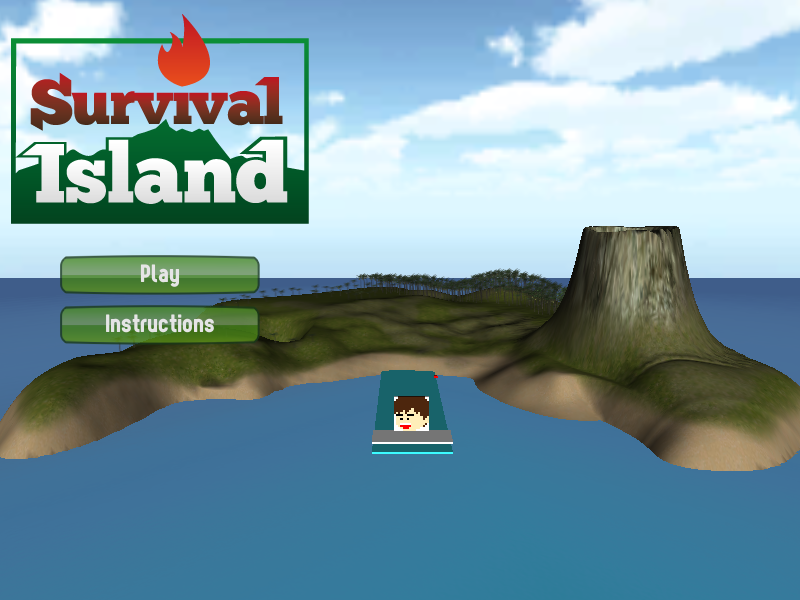
※ブラウザはSafariを使用してください。
方向キーで移動。
スペースキーでジャンプ。
f キーで弾を発射。(英数字入力)
クリア手順
・バッテリーを4つ集める。(4つ目を入手するには、射的ゲームをクリアする必要があります。全ての的を倒すと、バッテリーが出現します。)
・小屋でマッチを入手する。(バッテリーを4つ持っていないと小屋の中に入ることはできません。)
・キャンプファイアーに火を点す。
・ゲームクリア!
※クリアするのに島に上陸する必要はありません。
※ゲーム開始時点にあるブロック崩しはクリア条件と関係ありません。
風の音や、火山の音、その他、効果音が鳴ります。
BGMはピアノで仮当てしてあります。
火山の煙やキャンプファイアーの炎はパーティクルで作成しました。
プレイするには、Unity Web Player をインストールしてください。
Unity + C# で作成。
Shrunken 使用。
(more…)
15パズル。
クリックすると、別ウィンドウが開きます。
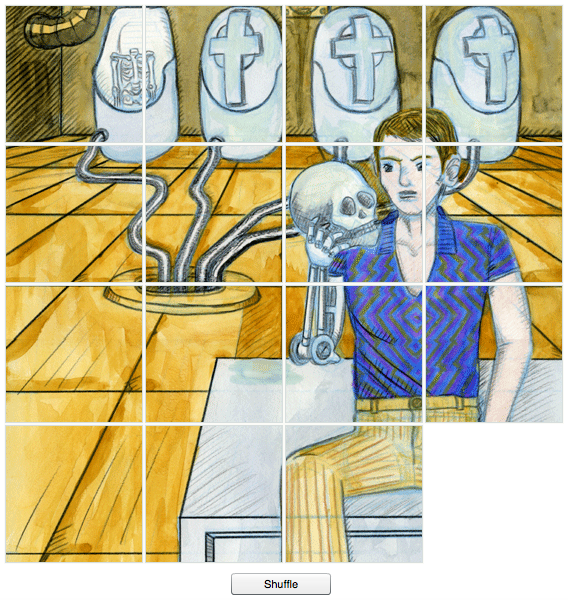
Shuffle ボタンでパズルをシャッフル。
クリックでピース移動。
元の絵柄を完成させるとゲームクリアです。
自作のイラストを使用しています。
ActionScript 3.0 使用。
その他の実験。
クリックすると、別ウィンドウが開きます。

物理演算の実験。
一筆書き描画ツール。
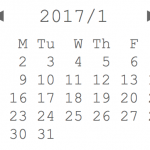
永遠にめくれるカレンダー。
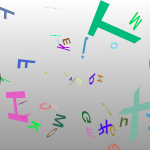
Papervision3D の実験。
|
|
git init git config --global user.email "email@example.com" git config --global user.email git remote add origin [remote repository URL] git remote set-url origin [remote repository URL] git remote -v # verifies the new remote URL git remote show git remote show origin # show origin's info includes cloned url |
|
|
git clone git clone --depth 1 https://github.com/example.git # shallow clone [only the latest one commit] git clone ssh://git@159.65.139.96:29418/root/test.git # GitBucket SSH access ssh -i id_rsa -T 159.65.139.96 # SSH test git checkout [file] git checkout --ours [file] # checkout from our branch. git pull git pull --rebase origin master git rebase --continue git submodule sync git submodule update --recursive |
1 2 3 4 5 6 7 8 9 10 11 12 13 14 15 16 17 18 19 20 21 22 23 24 25 26 27 28 29 30 31 32 |
git clean -f # cleans all untracked files except meta files and files in gitignore. git clean -fd git clean -fdx # cleans all files. git clean -n # performs a "dry run" (not delete but just show the list of target files). rm [file] git rm -f [file] # forcibly removes [file] from the list of tracking files. git add . git add [file] git add -u # (git add . --update) add deleted files by rm command git reset git reset [file] git commit -m "the first commit" git commit --amend # change commit message git reset --soft # doesn't affect local changes git reset --hard # discards local changes git reset HEAD # reset to the latest commit git reset HEAD^ (= HEAD~1) # reset one latest commit git reset HEAD~3 # reset three latest commits git reset --hard 06bda8fb2807ea45df7b09901e4c16e4f78bad49 git update-ref -d HEAD # reset the first commit git push origin master git push origin +master # force to push git push origin ee5b4965a6c0396c7be928f9b1cc7a0dc1c26a57:refs/heads/develop # push only a specific commit git push -f origin HEAD:develop git push -f origin HEAD^:develop git stash git stash apply |
1 2 3 4 5 6 7 8 9 10 11 12 13 14 15 16 17 18 19 20 |
git status git log git log --graph git log -p # show diff git log --follow [filename] git log --name-only # full path names of changed files git log --name-status # full path names and status of changed files git log --stat # abbreviated pathnames and a diffstat of changed files. git diff # between the staging area and the working directory. git diff --cached # between the staging area and the HEAD. git diff [filename] git diff HEAD # between the working directory and the HEAD. git difftool -d (!= git difftool --dir-diff) [exit:ctrl + c] git show HEAD git show c805e485eb6a86b4cf1b091243e995d06d5a81f1 git show c805e485eb6a86b4cf1b091243e995d06d5a81f1 --stat |
|
|
git branch # show the list of branches. git ls-remote origin # show the list of remote branches. git branch <branchname> git branch -m <oldbranch> <newbranch> # rename git branch -d <branchname> # delete git checkout <branch> # change the branch git checkout -b <branch> # create a new branch and change into the branch git merge <branch> |
———————————-
SHALLOW CLONE
———————————-
|
|
# shallow clone git fetch --depth=1 # unshallow clone git fetch --depth=1000000 git fetch --unshallow git config remote.origin.fetch "+refs/heads/*:refs/remotes/origin/*" git fetch origin |
———————————-
CONFLICT
———————————-
|
|
git ls-files -u # list of conflicted files 1. git fetch origin 2. git reset --hard origin/master git mergetool git checkout --ours filename.c git checkout --theirs filename.c |
———————————-
DOESN’T SHOW ALL REMOTE BRANCHES
———————————-
|
|
git ls-remote origin git fetch |
———————————-
Tutrials
https://www.atlassian.com/git/tutorials/resetting-checking-out-and-reverting/
———————————-
Regenerate Public Keys for OpenSSH Format
———————————-
1. Open the PuTTY Key Generator
2. On the menu bar, click “File” > “Load private key”
3. Select your id_rsa.ppk file
4. On the menu bar, click “Conversions” > “Export OpenSSH key”
5. Save the file as id_rsa preferably extensionless
——————————–
Terminal
——————————–
find ~/ -iname “*.unitypackage”
find / -type d -name “ora10”
$ grep -i “boo” /etc/passwd
-type d: directory
-i: ignore case
-r: recursive (search for many files)
ctrl + c 処理中断
ps aux
a = show processes for all users
u = display the process’s user/owner
x = also show processes not attached to a terminal
Search for Apache processing.
ps aux|grep httpd
——————————–
Command Prompt
——————————–
ファイル名検索
dir “*.txt” /s/b
——————————–
Bash
——————————–
env
echo $PATH
which python
source .bashrc
ATARIMAEプロジェクト オリジナル・ムービー・プレイヤー。
クリックすると、別ウィンドウが開きます。
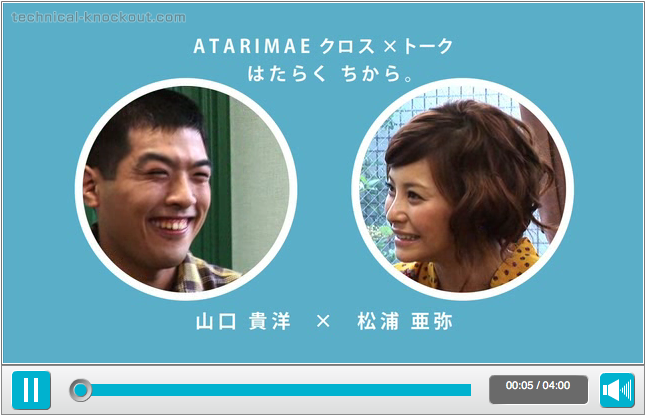
外部のflvファイルを読み込んで再生しています。
画面をクリックして再生/一時停止を切り換えるなど、操作性にも工夫を凝らしています。
左下のボタンをクリックすると音が出ます。
映像は、映像作家/アートディレクター・丹下紘希さんがディレクションされた『ATARIMAEクロス×トーク』Vol.6。
使用されたページ
『クロス×トーク はたらくちから。』
『下村健一のクロス×トーク』
舛添大臣、松浦亜弥さんの会見
I made original flash video player for the web-site of ATARIMAE PROJECT.
This video player is used in the feature contents of the web-site as following.
The Crosstalk is the main content of the web-site. 17 Celebrities, from comedians to policy makers, go to the workplaces of handicapped people.
http://www.atarimae.jp/crosstalk/001/movie.html
This is the second season of The Crosstalk. An acknowledged TV news anchorperson goes to 5 companies that hire handicapped people.
http://www.atarimae.jp/crosstalk2/01/index.php
This video shows the press conference of Youichi Masuzoe, Minister of Health, Labour and Welfare, and Aya Matsuura, famous actress, singer and the supporter of ATARIMAE PROJECT. In this video the Minister announces the launching of ATARIMAE PROJECT.
http://www.atarimae.jp/information/20081024/movie.html
(All videos are directed by acknowledged video artist Kouki Tange.)
Using ActionScript 3.0, this flash video player imports external flv files.
Weighing usability, I minimized the elements required for a video player.
Clicking on the screen, you can easily pause and resume the video.
